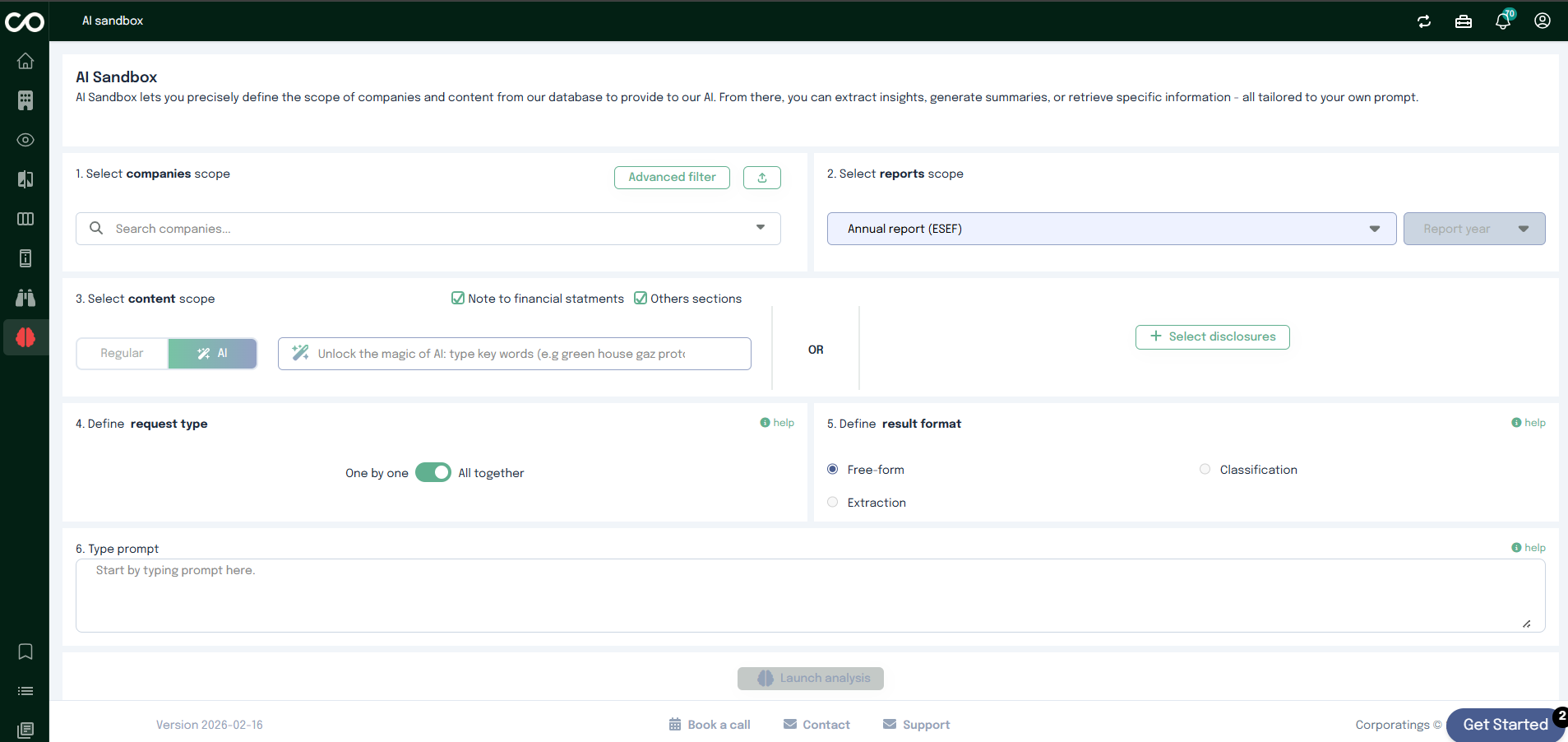
The AI Sandbox allows you to precisely control which companies and content are shared with the AI. By defining scopes,
request types, and output formats, you can extract insights, generate summaries, or retrieve structured information
all driven by your own prompt.
This guide walks you step by step through a typical workflow in the AI Sandbox.
Step 1: Select Companies
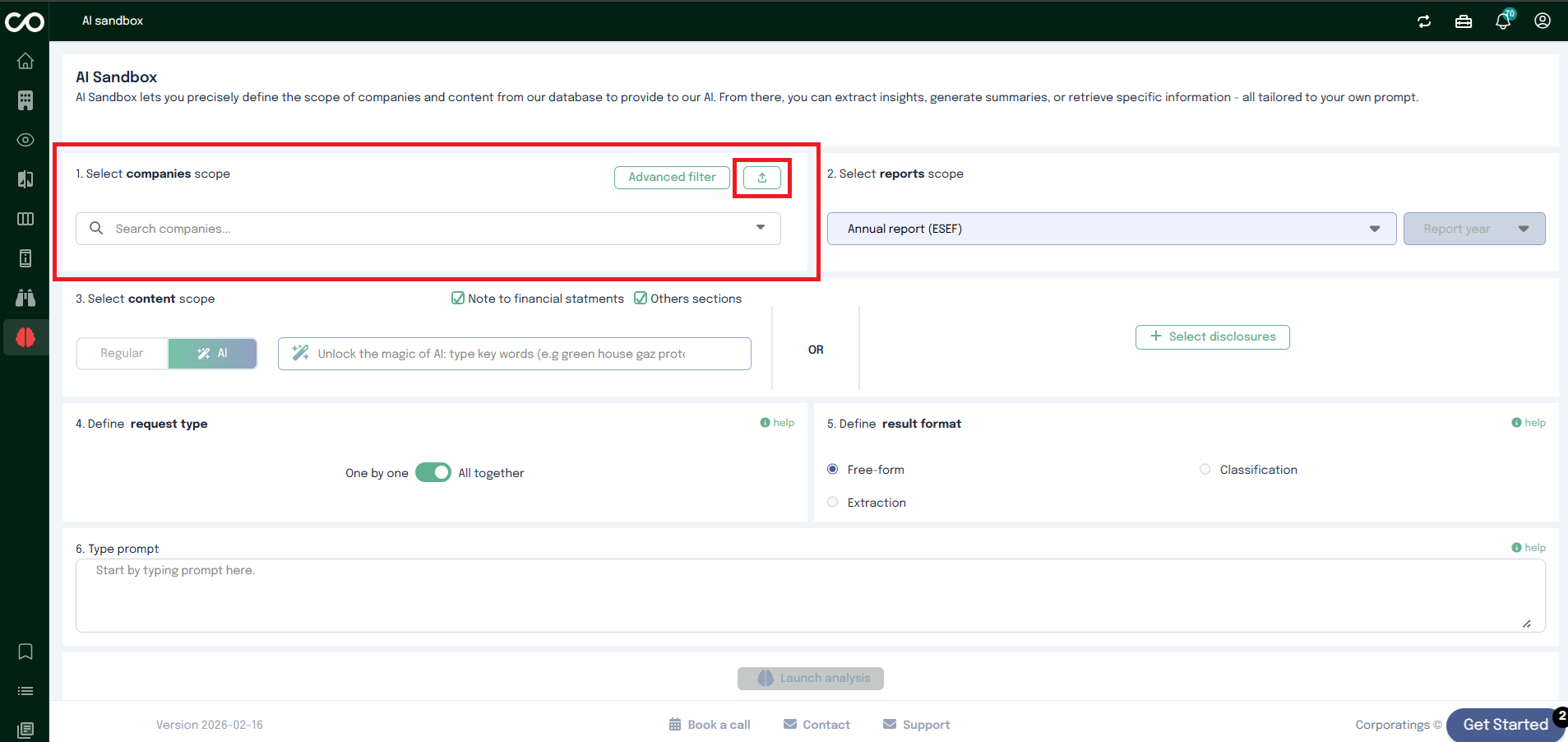
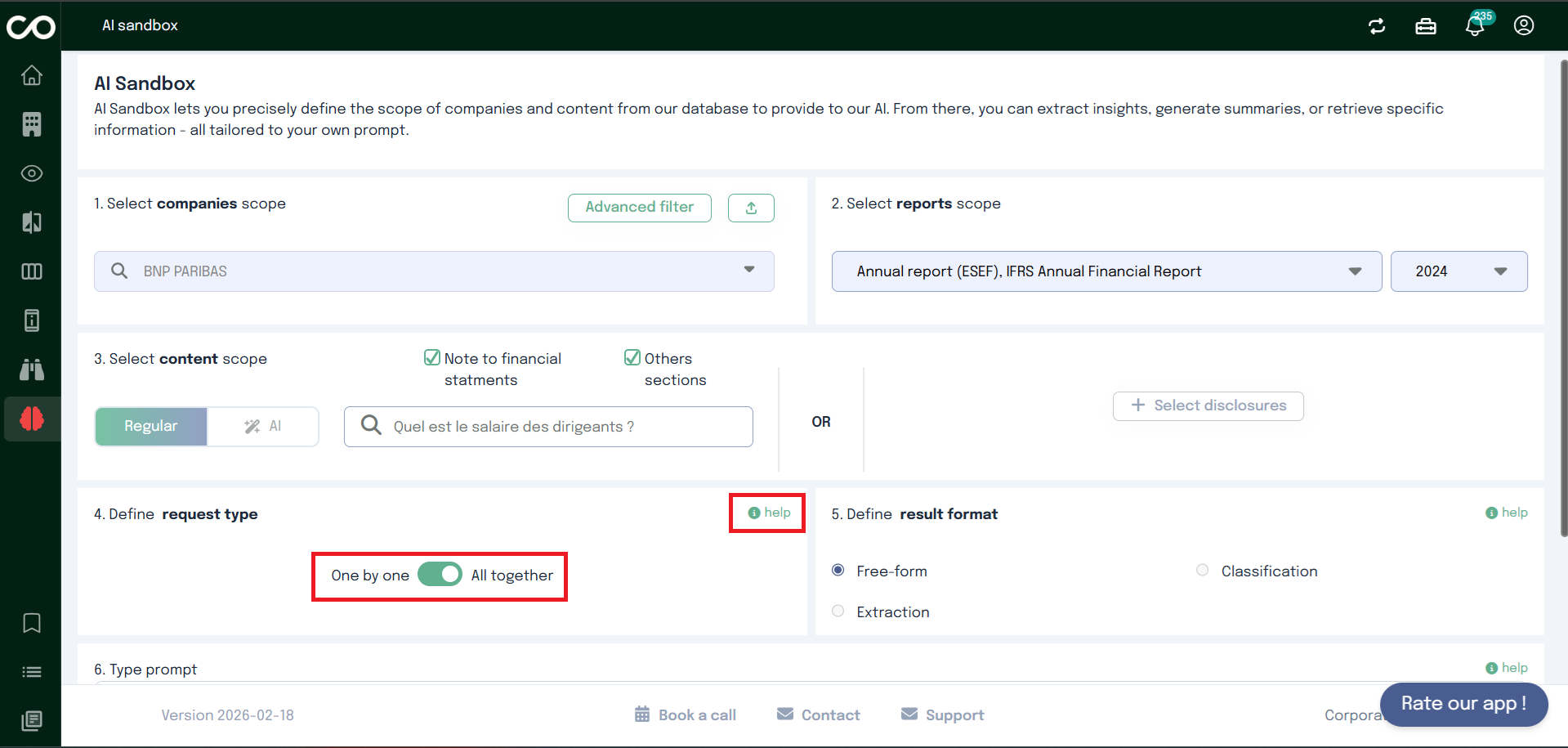
Once you land on the AI Sandbox page, start by selecting the companies you want to analyze.
You can choose companies in two ways:
Using the dropdown list to manually select one or multiple companies.
Selecting a predefined company list by clicking the dedicated icon.
You can select one or several companies depending on your analysis needs.
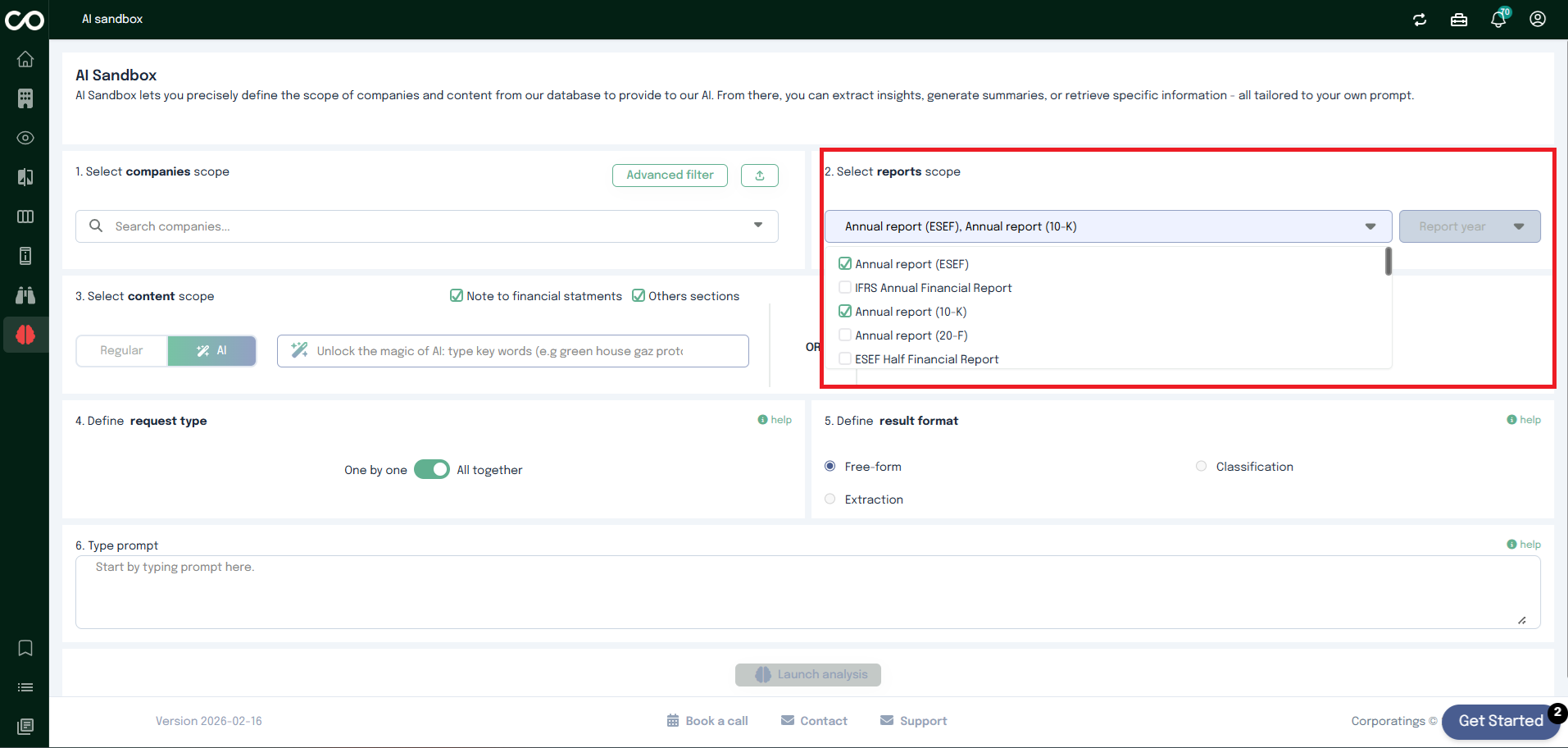
Step 2: Define the Report Scope
Next, choose the Report Scope using the dropdown menu.
This step defines which reports or documents from the selected companies will be included in the analysis.
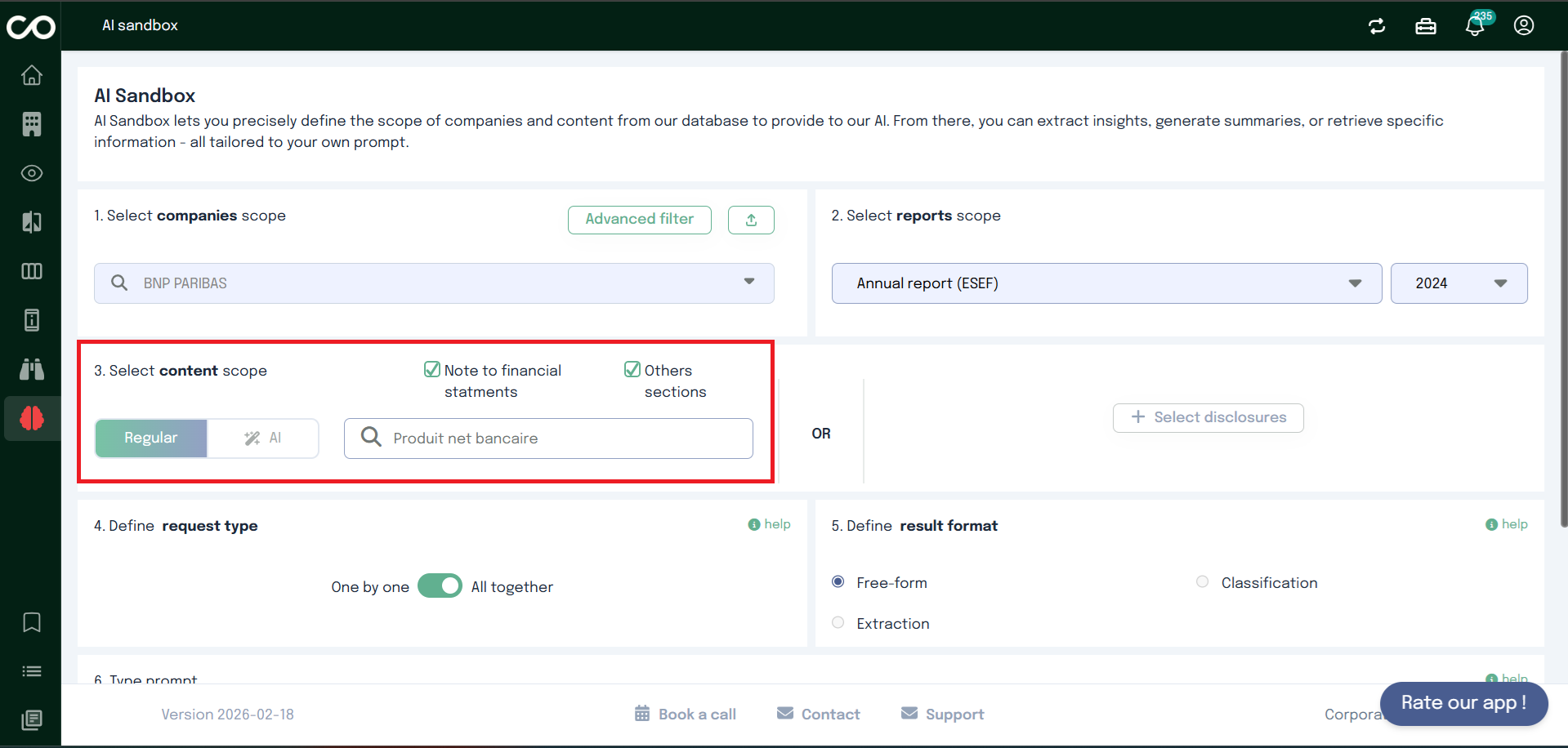
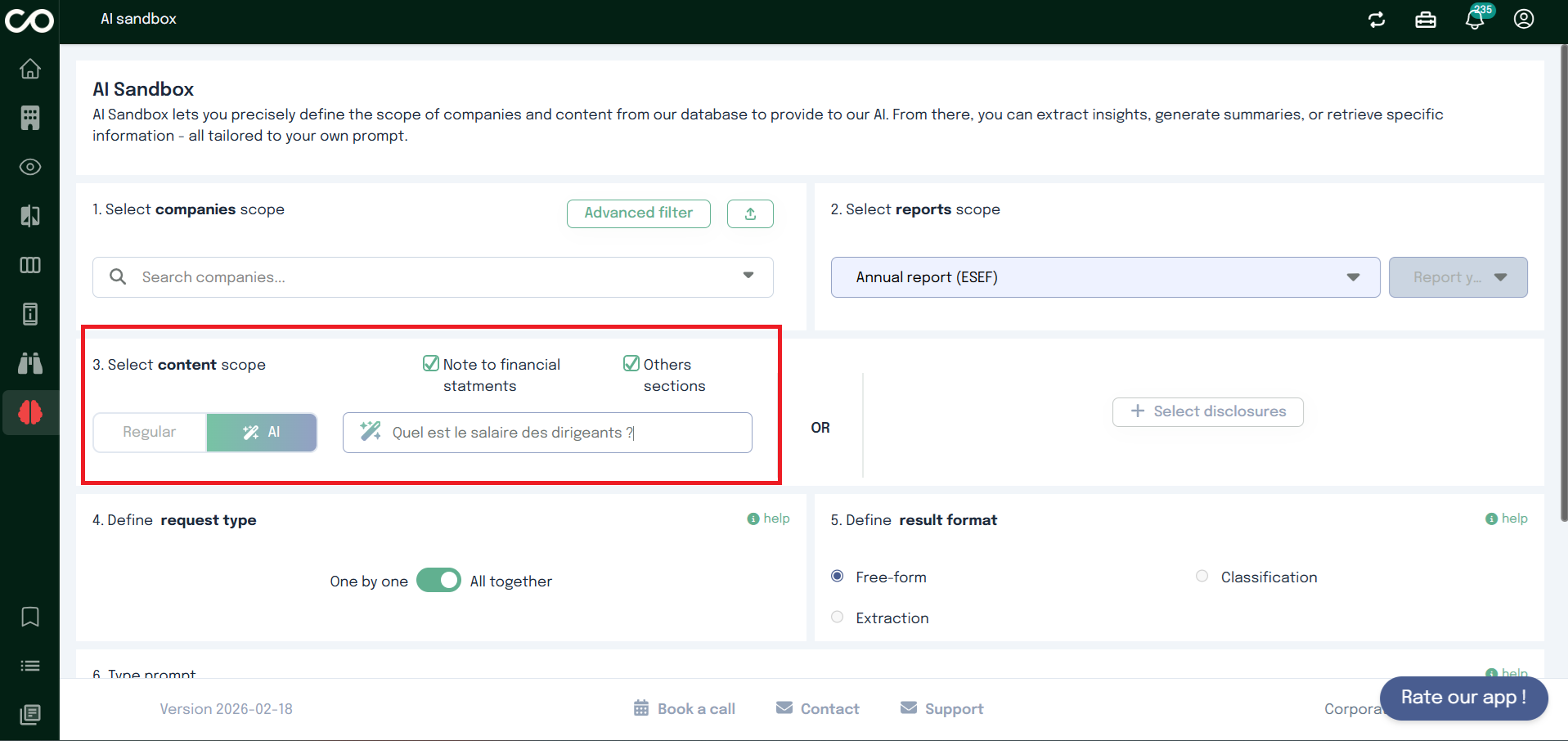
Step 3: Select Content Scope
Option A – Content Search
You now define what type of content the AI should analyze.
You can choose between:
Regular search
Enter a specific keyword to search within the selected document.
When a user initiates a search:
The system scans all relevant documents from our database of 50,000+ reports, based on the filters applied
(by default, or by the user).
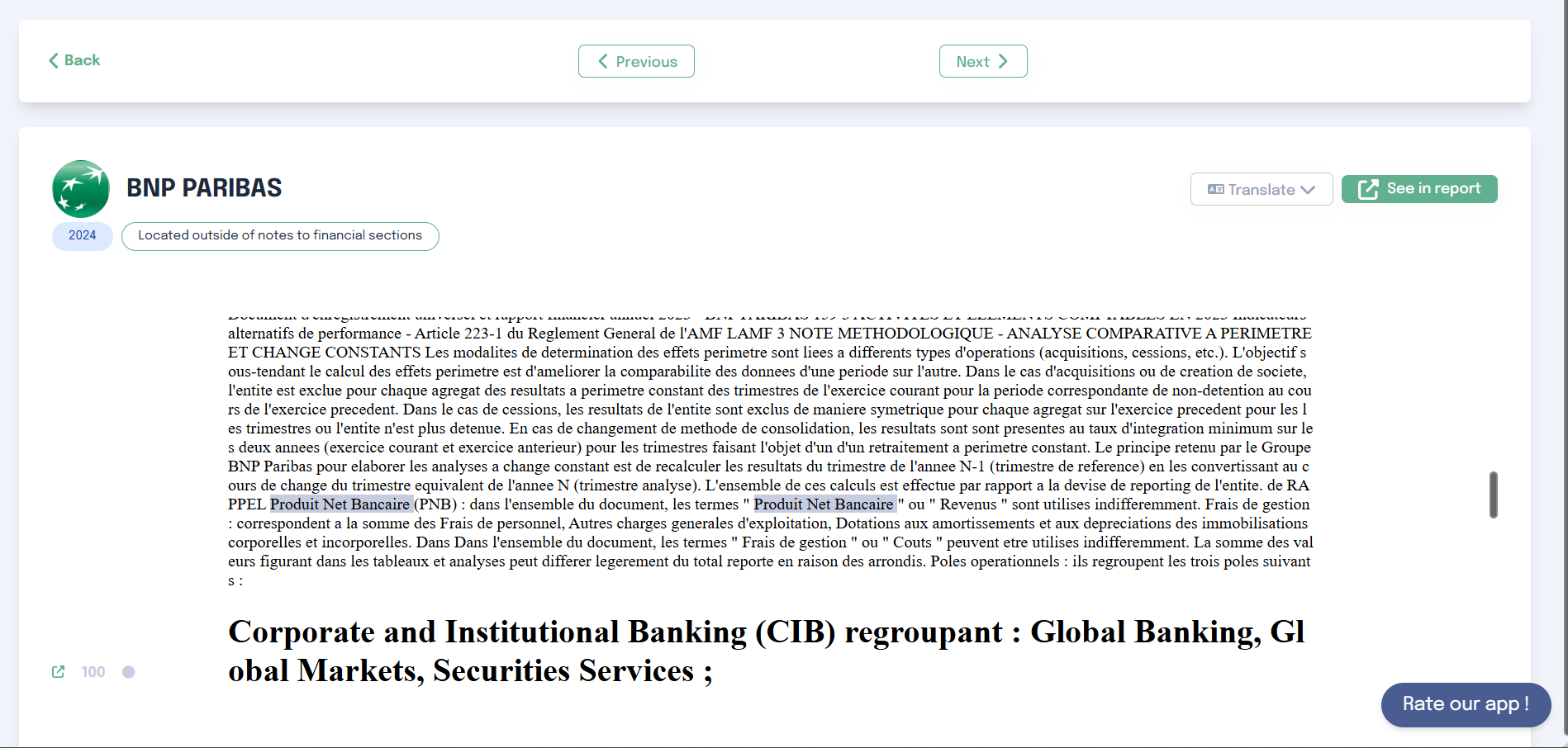
Matches are located within fragments (also called chunks), which are sections of text or tables.
A highlighting mechanism visually indicates the occurrences of the search term within each fragment.
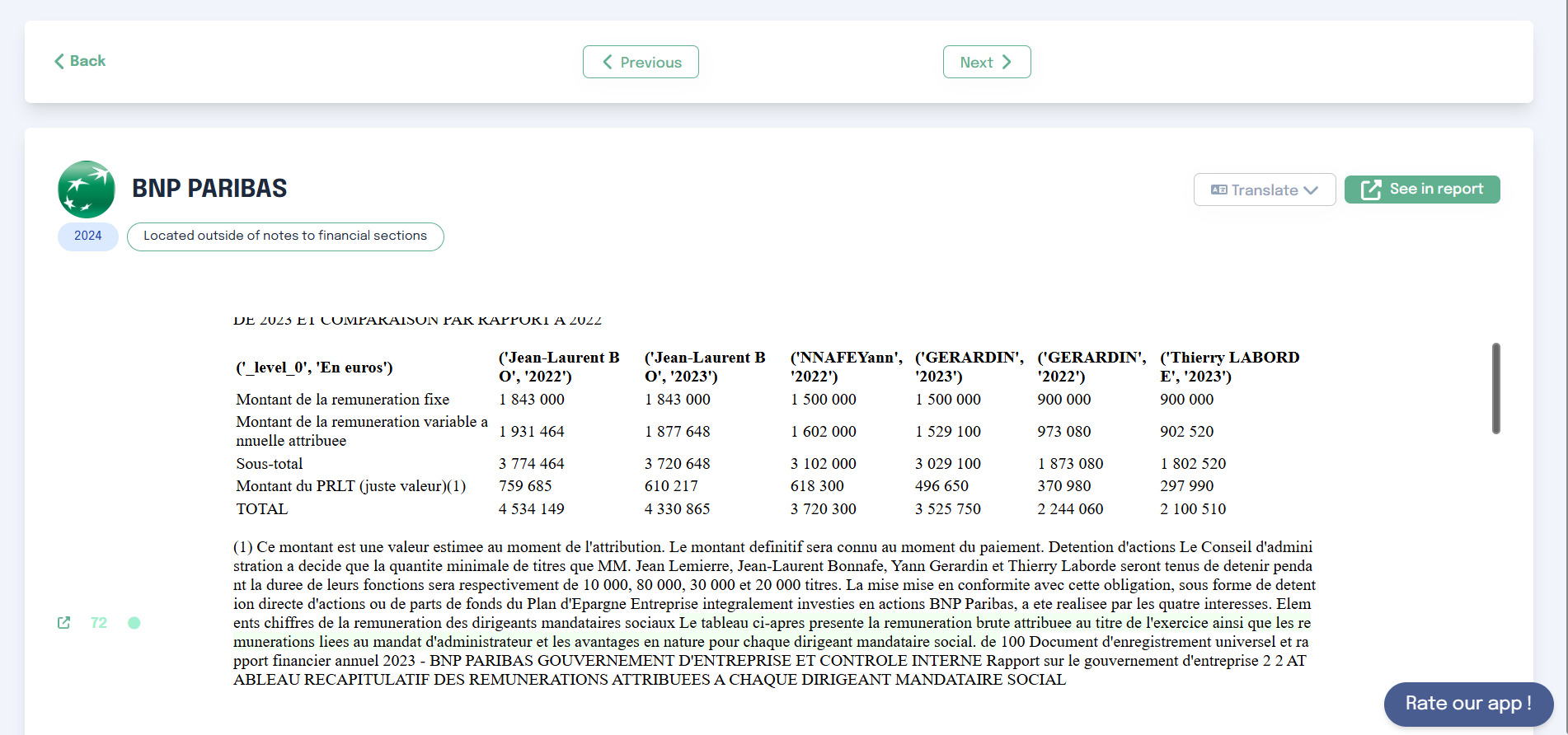
AI search
Describe in natural language what you are looking for. The AI will retrieve the most relevant data based on your
description. Unlike traditional keyword-based search, semantic search aims to understand the meaning behind a
query and relies on natural language processing (NLP) and deep learning.
Initial Search in the Database
The user enters a query (e.g., greenhouse gas). The semantic search engine analyses the query and compares it to
all reports in the database.
By default, filters (year, report type) are applied, and only matching documents are considered. Users can
modify these filters and add other ones depending on the analysis.
The algorithm selects the top 300 results based on semantic relevance
Once results are retrieved, they are grouped by company
Each company may have multiple relevant fragments (results)
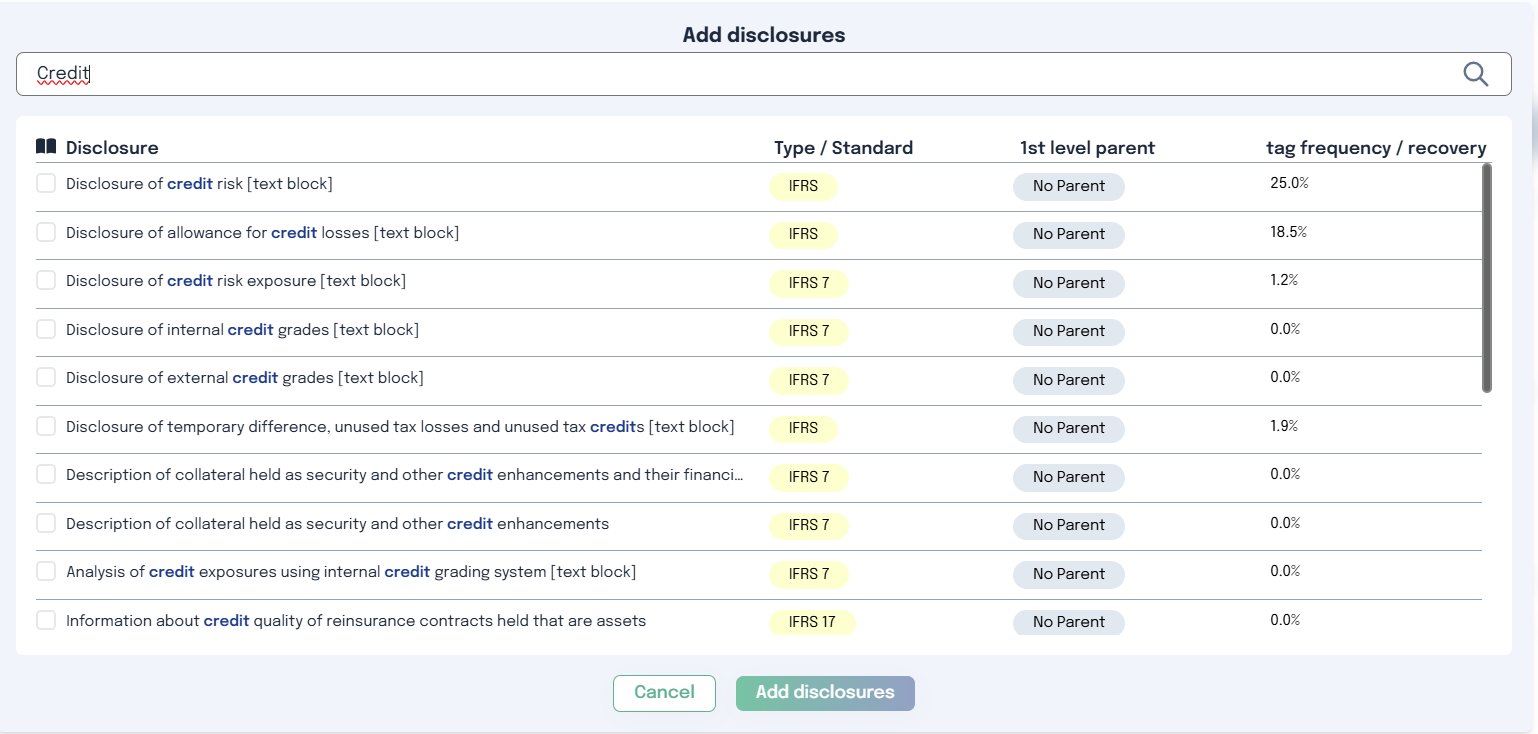
Option B – Select Disclosures
Alternatively, you can manually select specific disclosures:
Click “Select disclosures”
Search and select the metrics you want the AI to analyze
Step 4: Define the request type
Choose how the AI should process the companies content using the switch button:
One by One : each company is analyzed individually, independently of the others.
Best used when:
Extracting specific information per company
Classifying companies
Generating company-level insights
All Together : all selected companies content is analyzed.
Best used when:
Identifying global trends
Performing cross-company comparisons
Generating collective insights
Click the help icon for a detailed explanation directly in the interface.
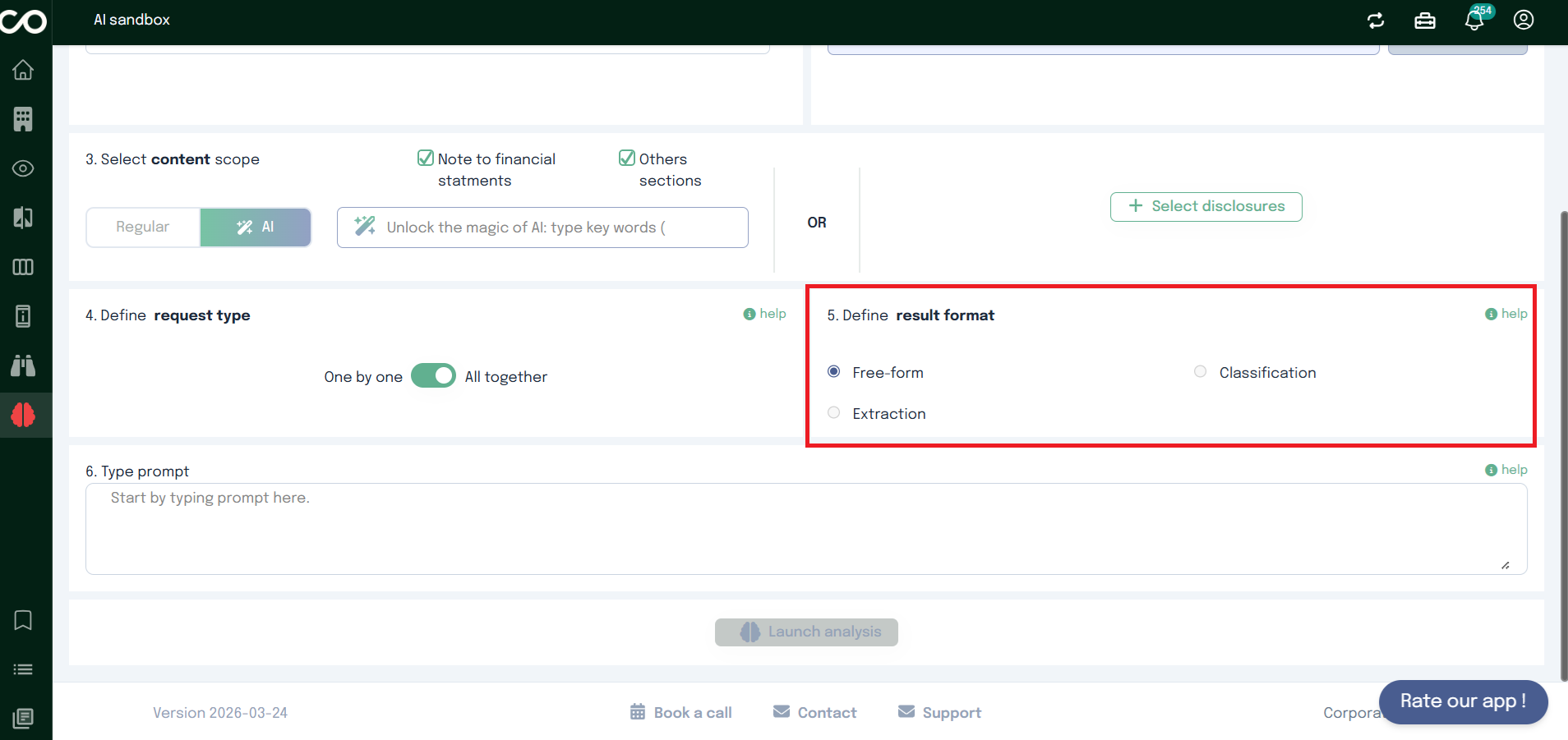
Step 5: Define the result format
Select how the AI should structure its output.
Available format
Free-form
Unstructured text output.
Used for :
Explanations
Summaries
Cross-entity comparisons
Interpretative analysis
Extraction
Structured data output.
Used for :
Names, dates, figures, keywords
Table-ready data
Reusable datasets
Classification
Categorization into predefined labels.
Used for :
Tagging
Pattern detection
Sorting/filtering at scale
Dependency with Request Type
The available formats depend on the selected Request Type.
Request Type: All together
Scope: all companies analyzed as a single dataset
Objective: global insights, comparisons, patterns
Available formats
Only Free-form is allowed
Request Type: One by One
Scope: each company processed independently
Objective: per-entity outputs
Available formats
Extraction
Classification
Detailed explanations are available via the help icon.
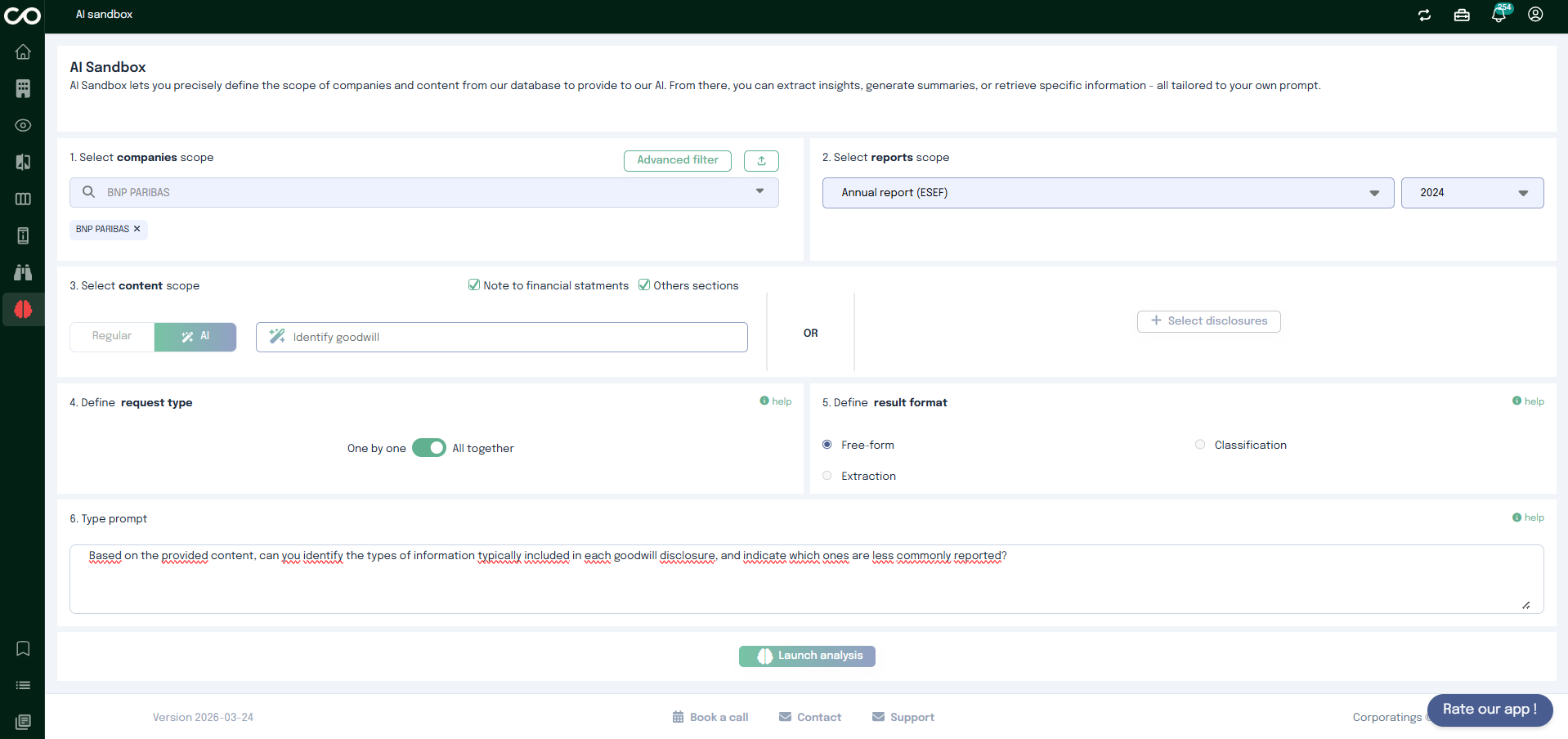
Step 6: Type your prompt
Type your prompt to instruct the AI on how to process the selected content.
Your prompt should clearly specify:
What information you want
How it should be analyzed
Any constraints or formatting expectations
Prompt examples
Synthesis (All together / Free-form)
Based on the provided content, can you identify the types of information typically included in each goodwill disclosure, and indicate which ones are less commonly reported?
Data Extraction (One by one / Extraction)
Here are excerpts from URD containing information about employees. Please extract the following information about the entity's employees:
The total number of employees for the most recent reporting year available in the document.
Ensure that the data is for the most recent year mentioned in the document (e.g., use 2024 rather than 2023).
The unit used must be clearly indicated as “employees”.
Classification (One by one / Classification)
I provide content from URD mentioning information about the different categories of systemically important banks. Based on this content, determine whether the entity belongs to any of the following classes:
G-SIBs (Global Systemically Important Banks)
D-SIBs (Domestic Systemically Important Banks)
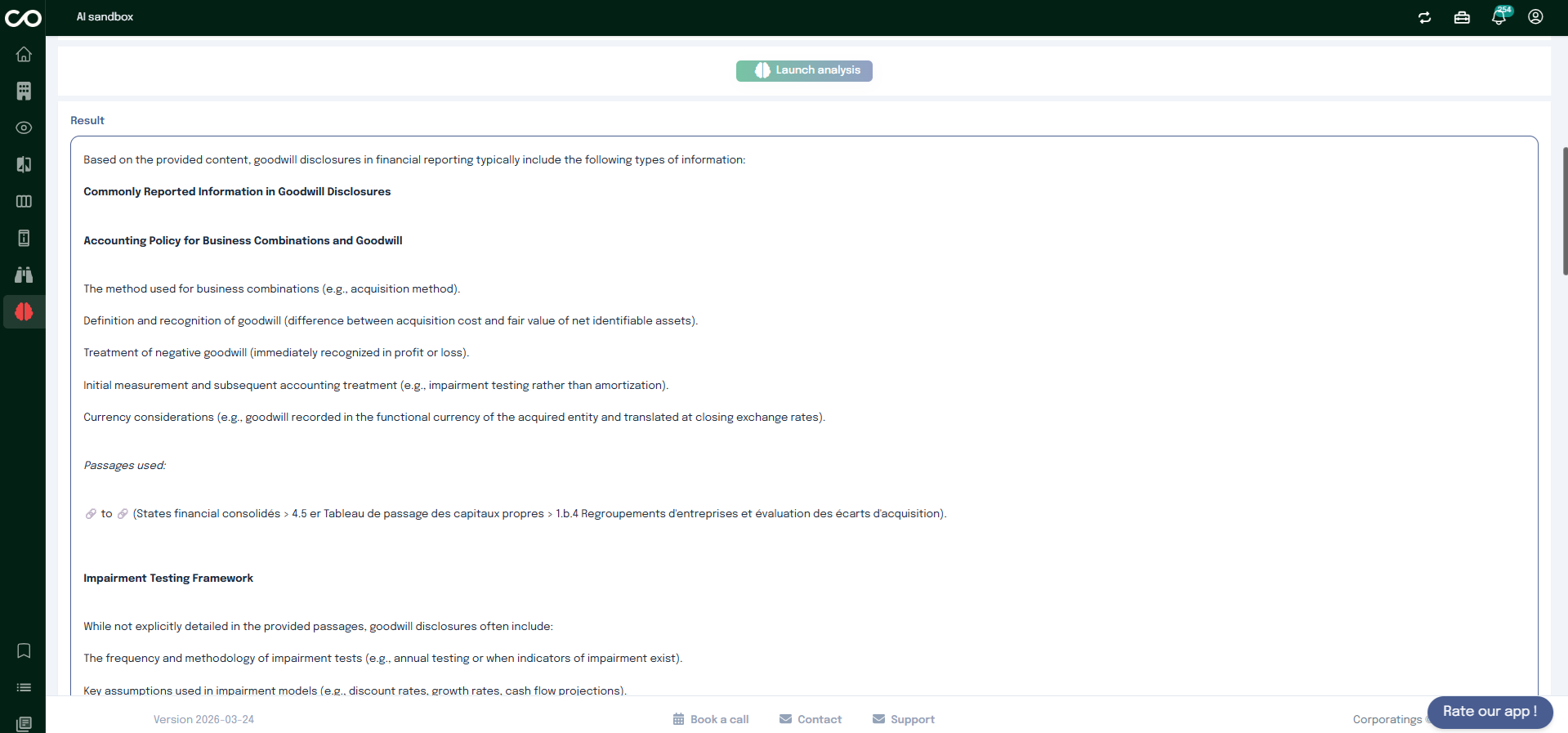
Step 7 : Run the Analysis
Once everything is set:
Click the final action button
The AI will process your request based on the selected scope, configuration, and prompt
Results will be displayed according to the chosen request type and result format.
Company
The Company page gives you a complete view of a company, from high-level information to detailed financial data.
You can search for a company, explore its profile, follow its market evolution, review financial statements, and access detailed disclosures, all in one place.
Search for company
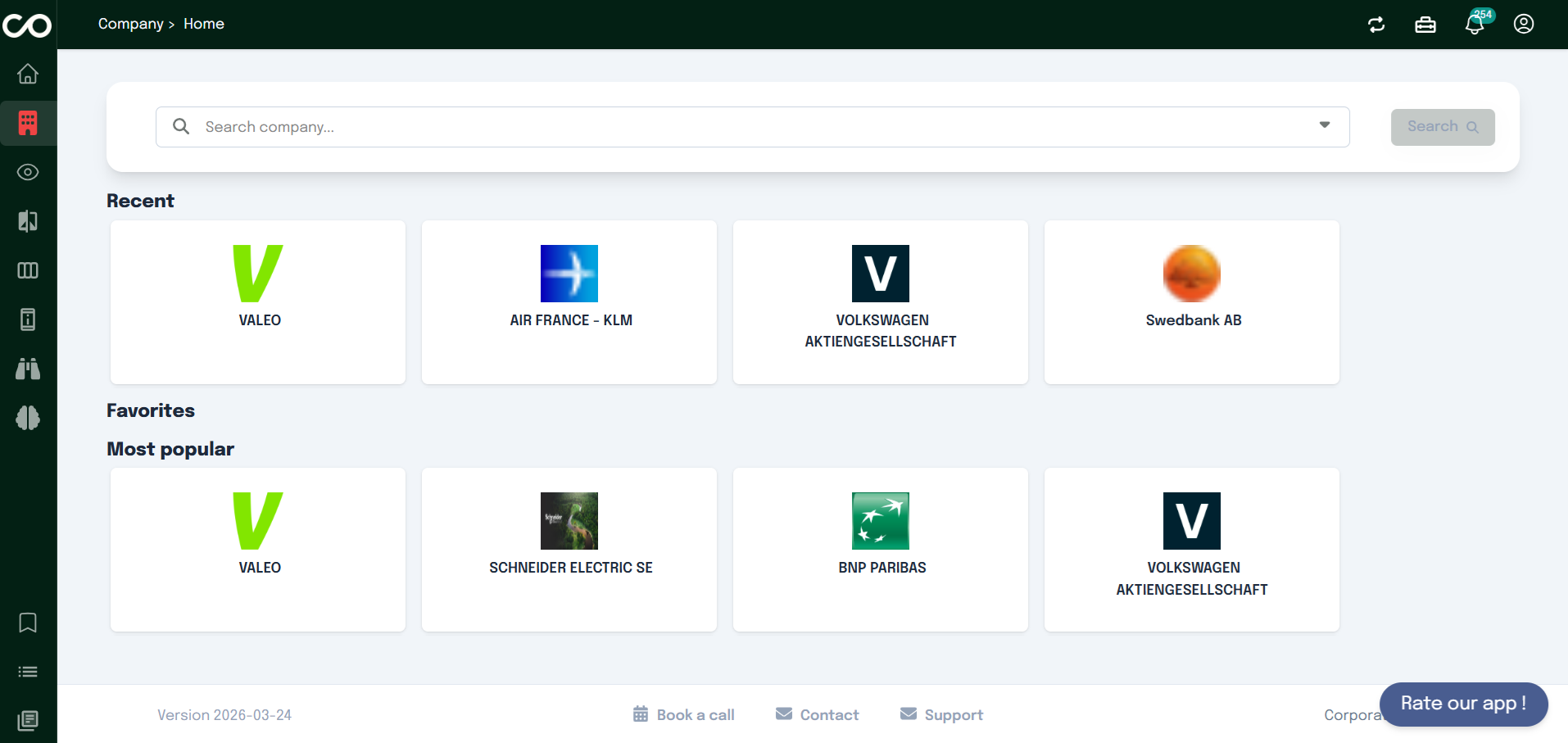
When you open the Company page, you first see a search bar at the top of the screen.
This search bar allows you to quickly find a company by typing its name.
As you type, relevant companies appear in the results. Clicking on a company, for example BNP Paribas, takes you directly to its dedicated company page.
Below the search bar, you will also find three sections designed to make navigation easier:
your recent searches
your favorite companies
the most popular companies searched by users
These shortcuts help you quickly access companies you already explored or commonly followed ones.
Overview Tab
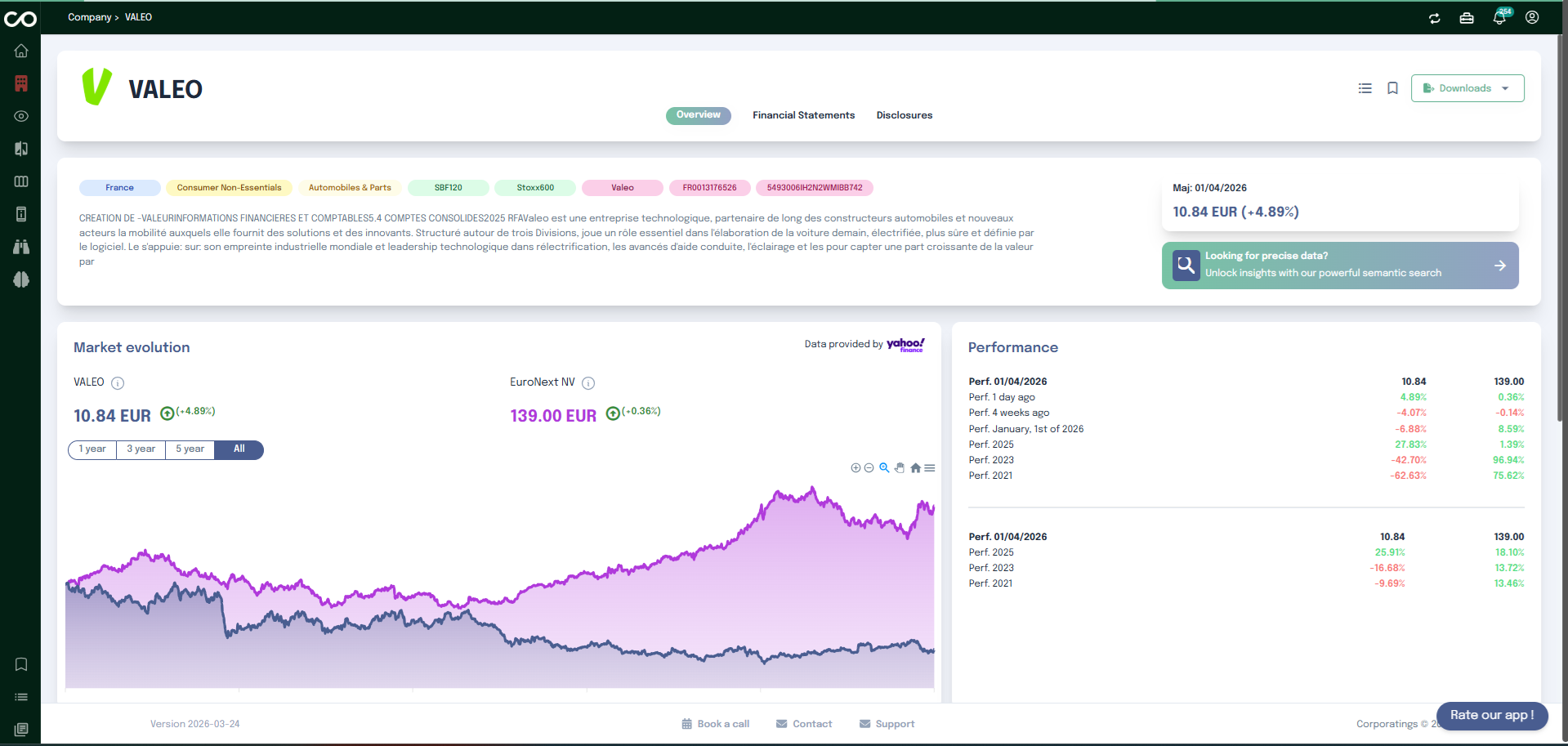
After selecting a company, you land by default on the Overview tab.
This section provides a clear summary of the company. You can see key information such as the company’s country, sector, and type of activity. A short description explains what the company does and its position within its group.
Below this summary, you will find the Market Evolution chart. This graph shows how the company has evolved over time on the market, helping you quickly understand its performance trend.
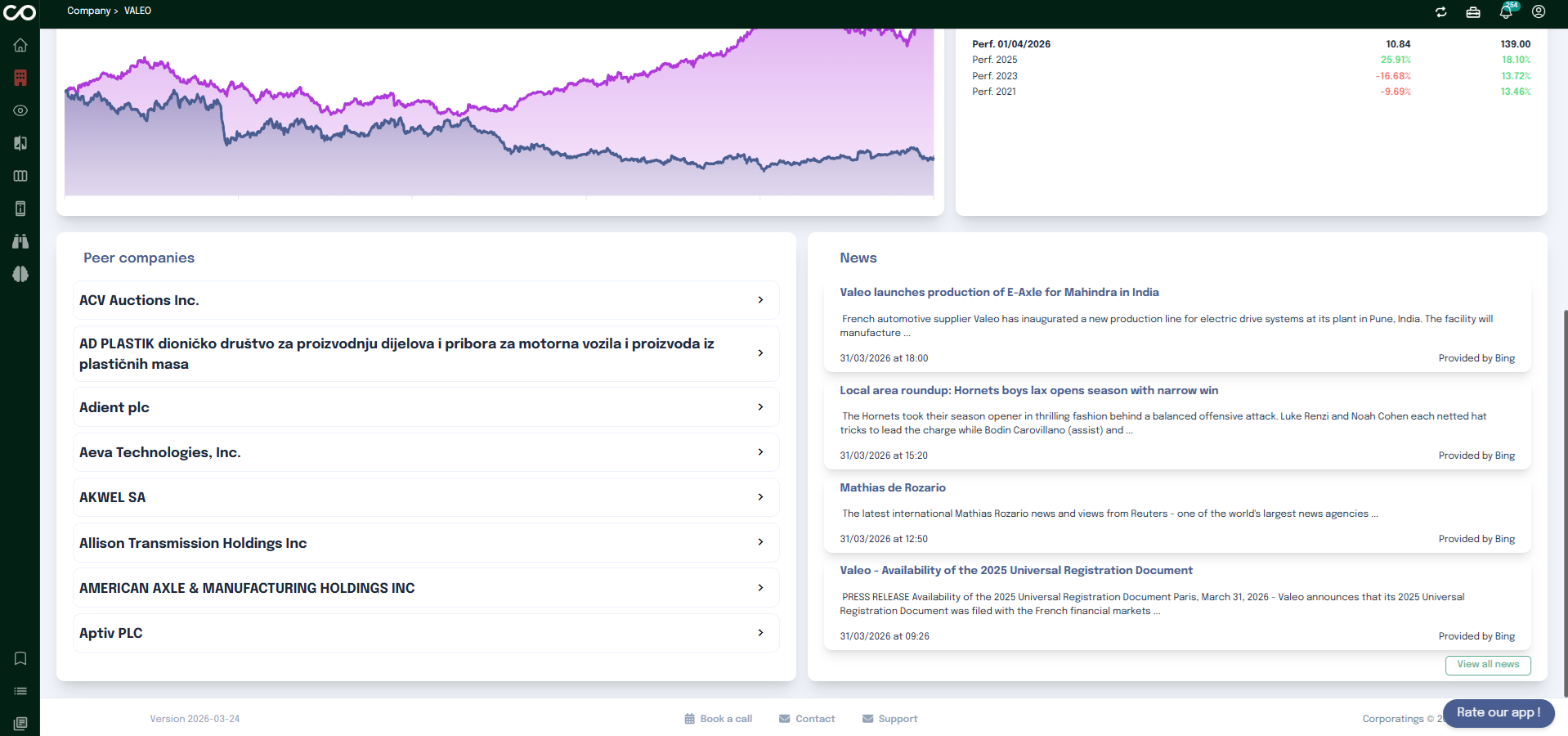
Further down the page, you can explore the company’s peer companies, which helps you identify comparable organizations in the same sector.
On the right side of the overview, a News section displays the latest articles and updates related to the company, allowing you to stay informed about recent developments.
Downloading Company Documents
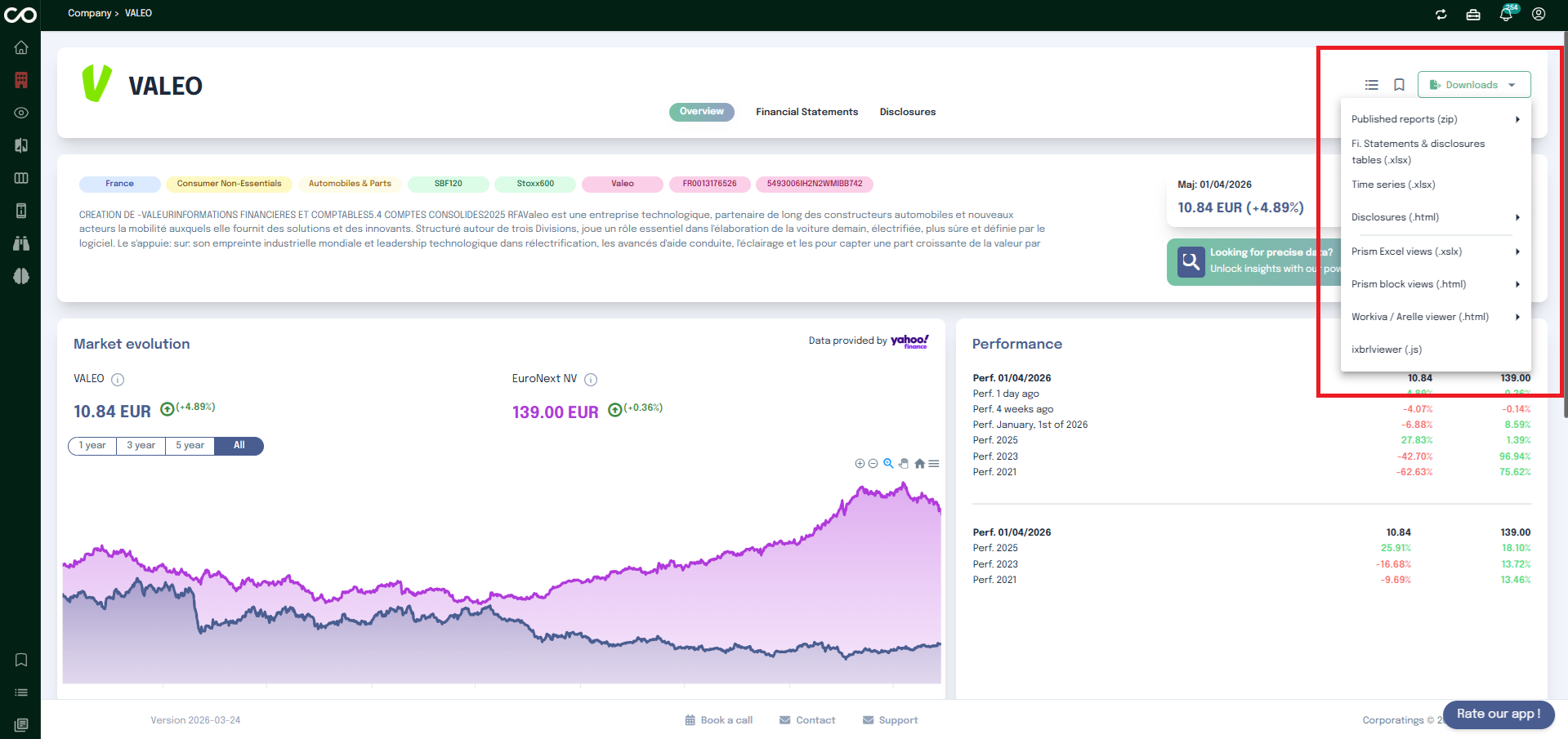
In the top-right corner of the company page, a Download button gives you direct access to all available documents for the selected company. Clicking it opens a dropdown menu listing every exportable asset.
The following downloads are available:
Published reports (zip) Download the company's published annual reports as a ZIP archive. Reports are available by year (e.g. 2025, 2024, 2023, etc.).
Time series (.xlsx) Historical data exported as an Excel spreadsheet for trend analysis.
Disclosures (.html) Full disclosure content rendered as an HTML file.
Prem Excel views (.xlsx) Premium Excel-formatted views of the company's data.
Prem block views (.html) Premium block-structured views exported as HTML.
Workiva / Arelle viewer (.html) XBRL data rendered through the Arelle viewer in HTML format.
Financial Statements Tab
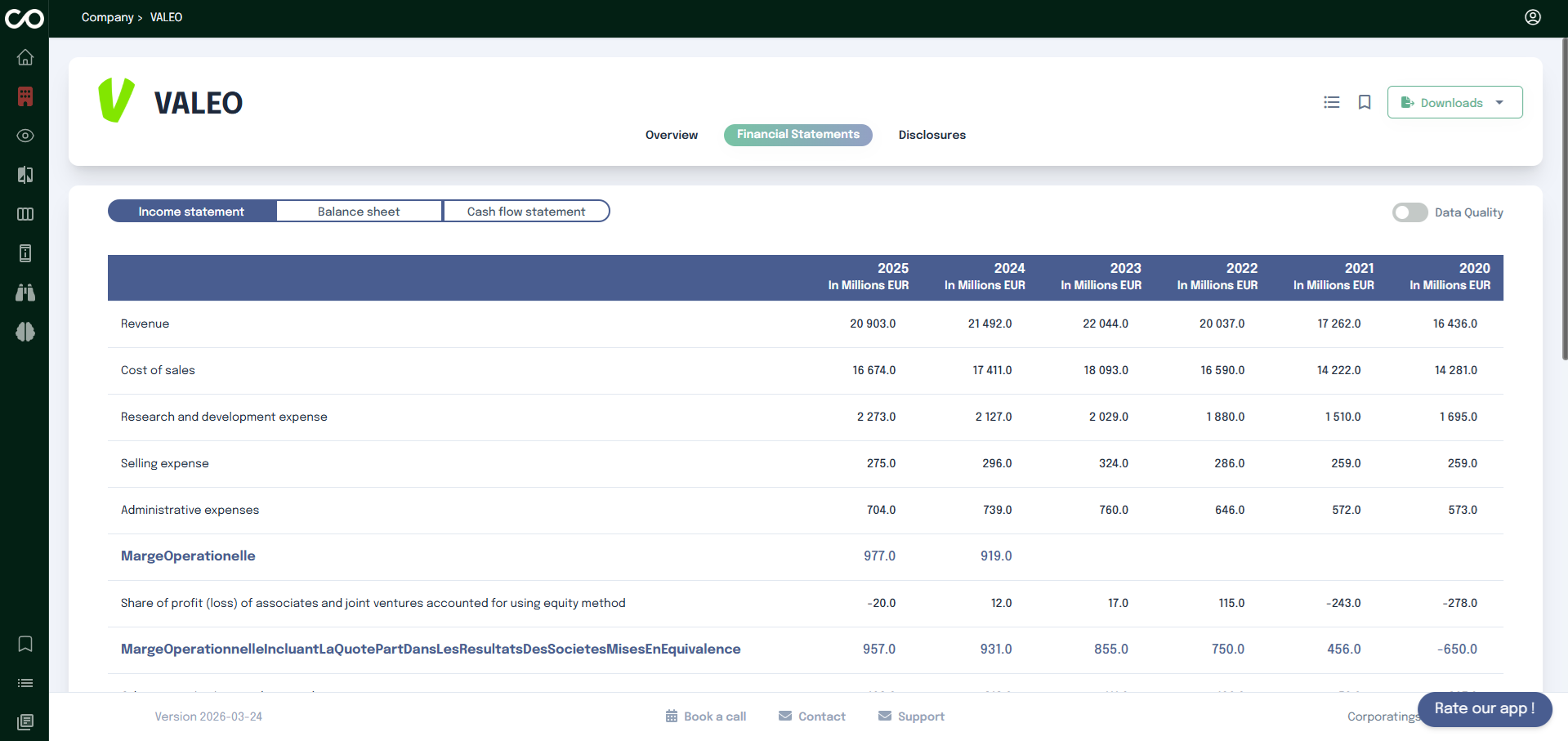
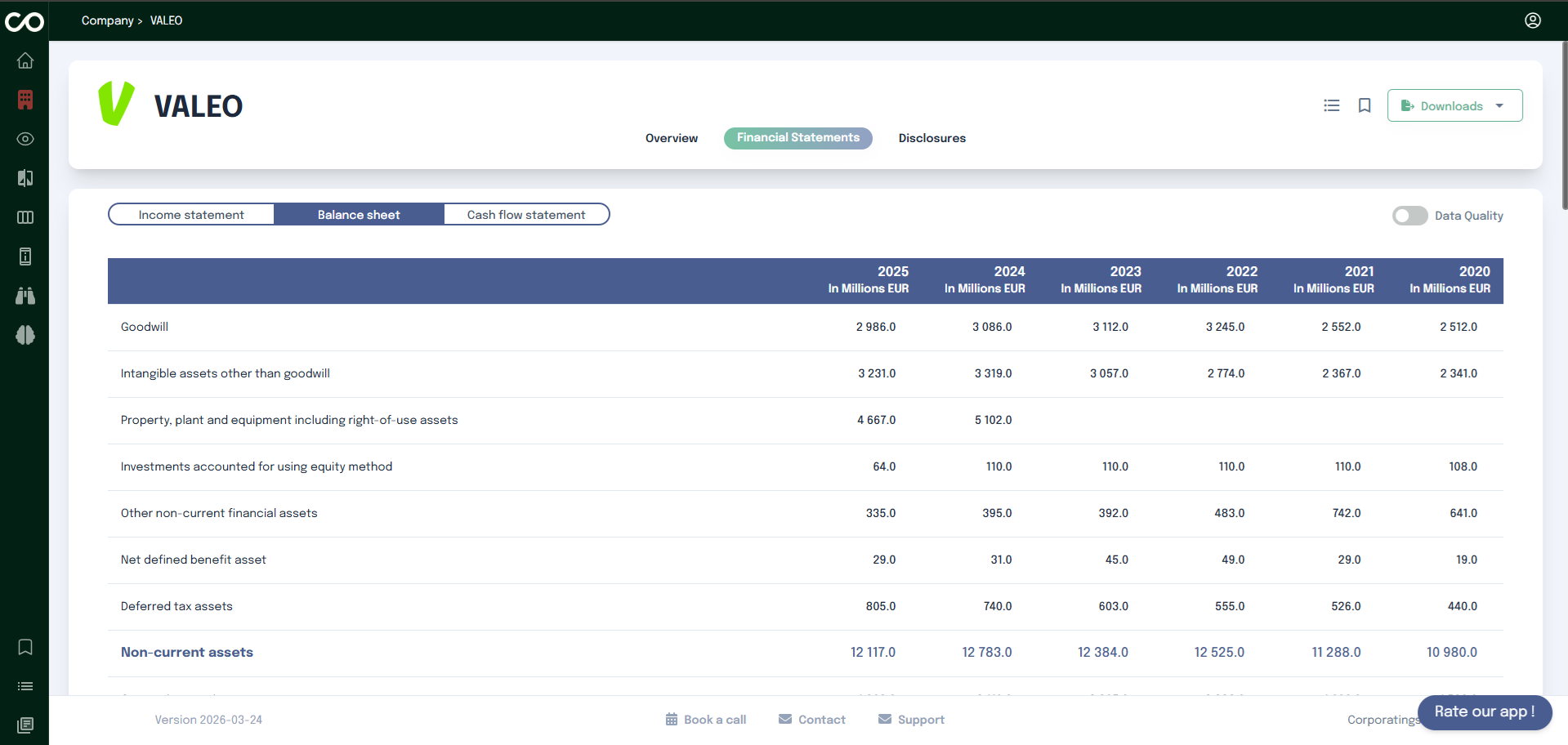
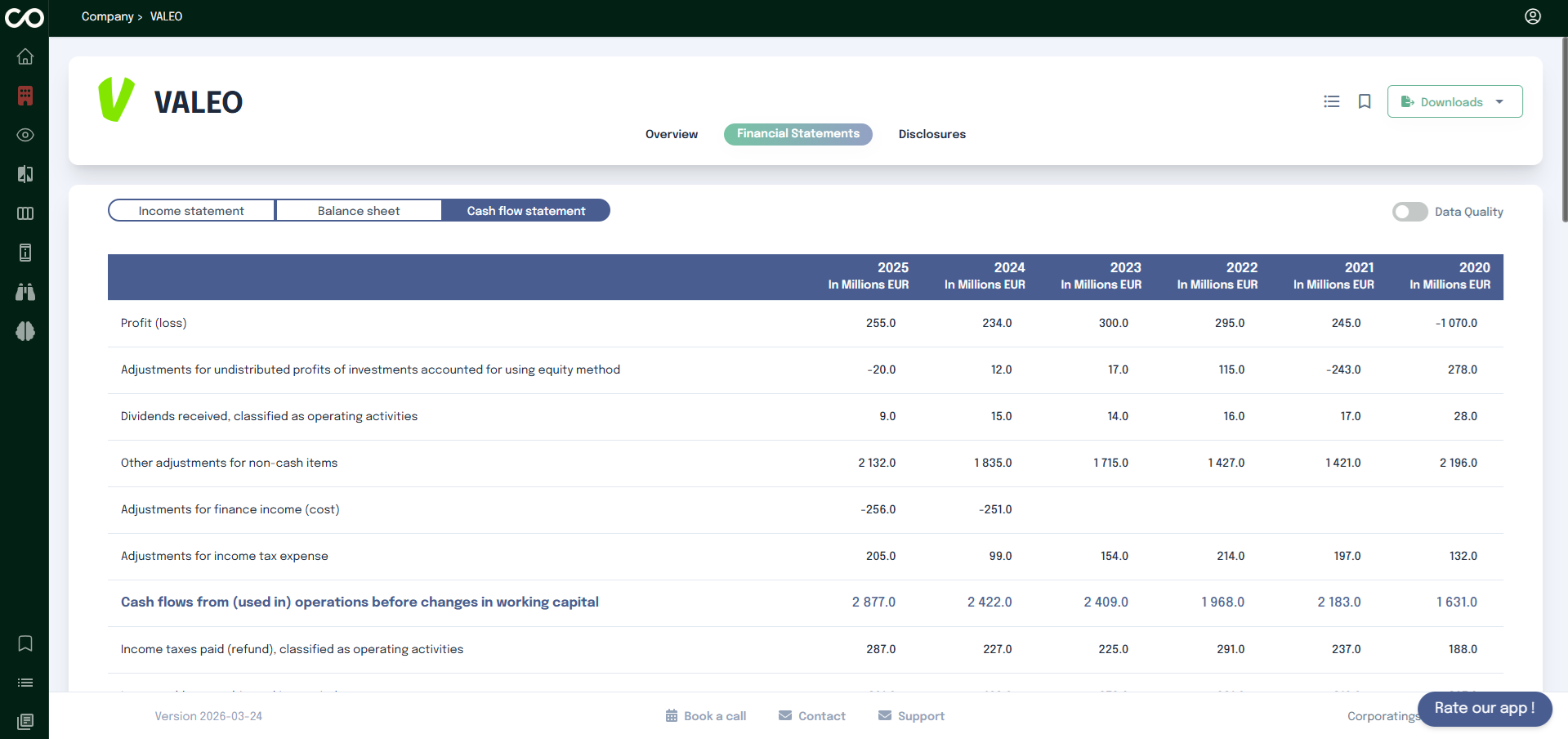
The Financial Statements tab allows you to explore the company's financial data in a structured and comparable way.
It is organized into three sub-tabs, each covering a distinct area of the company's finances:
Income Statement Shows the company's revenues, costs, and profitability over a given period. You will find items such as revenue, cost of sales, selling expenses...
Balance Sheet Provides a snapshot of the company's assets and liabilities at a given reporting date. It includes non-current and current assets.
Cash Flow Statement Details how cash was generated and used during the reporting period. It covers operating activities, investing activities, and financing activities, including items such as profit loss, Adjustments for income tax expense...
The main element of each sub-tab is a large financial table. On the left side, you will find the list of financial items each row represents a specific metric reported by the company. Across the top, each column corresponds to a reporting year, with the most recent year appearing first. This layout lets you compare the same metric across multiple years at a glance and quickly identify trends, increases, or decreases over time. All values are expressed in a consistent unit indicated in the table header (e.g. In Millions EUR).
Every value in the table is clickable. Clicking on a figure opens the company's source report in a new tab and automatically navigates to the exact location in the document where that figure appears. This allows you to verify the data directly in its original context without having to search manually through the report.
Search
From here you can search these documents. Enter
your search terms below.